AI Software Prices Changed Again: What Your Team Pays Now
AI software price changes November 2026: Notion credits, Gemini file editing, cheaper models and Black Friday deals. What small teams actually pay now.
Arun Agarhari
Founder & Technical Systems Engineer
November 2, 2026 19 min read3.6k reads
Share
Dark premium render of a laptop billing dashboard with floating price tags, ai software pricing 2026
Key Takeaways
Then the AI features arrived, one by one, inside tools she already paid for.
The bill just crept, ten dollars here, twenty there, until it was 140 dollars a month higher than the spring.
Software vendors spent 2026 moving from "pay per seat" to "pay per seat, plus pay for how much AI work you run.
Prices quoted here come from vendor pages and news summaries dated late October 2026, and you should still check the vendor page before you buy, because AI pricing pages change fast.
Notion's change is the one that matters most this week, because it lands today, November 2, for existing workspaces.
Key numbers at a glance
per member per month under Notion's published standard AI credit arrangement, with plan specific variations
is Notion's listed Business plan price with annual billing, the plan most small teams compare first
is when Google announced file creation, preview and editing inside Gemini
is when Google's whole deck Slides editing rollout began, with a rollout that may run past 15 days
is when existing Notion workspaces are scheduled to move to the credit based AI system
is Pabbly Plus's advertised Black Friday price, launching November 4, 2026, with renewal at the same rate
is what a typical four person team finds to cut on a first software audit, mostly dead seats and duplicate tools
is the Notion Business math before any AI extras: four seats at $20 per member per month with annual billing, on top of the 1,500 Standard and 500 Select credits each member gets.
is how the guide's deck rebuild split: an 18-slide client deck took a 25-minute AI pass for whole-deck editing plus a 40-minute human pass at the end, against a designer cleaning every slide by hand the old way.
than the spring is how far the guide's example bill had crept, ten dollars here, twenty there, before the audit
is the real Pabbly Plus Black Friday saving, 799 dollars down from 1,428, but only if the team actually needs the nine-app bundle for a full year
is the total the guide cut in its own audit, by cancelling unused tools first and testing the rest
is what the guide saved by cutting tools nobody noticed were gone, which is exactly the point of the audit
is the saving the guide skipped on purpose, money it would have spent on a bundle nobody needed
: new Business and Enterprise workspaces moved to a credit based AI system on October 19, 2026, and existing workspaces were scheduled to follow on November 2, so the November 2 date is the one that changed the bill for teams already on Notion
: she took last month's client deck, 18 slides, and rebuilt it two ways, and the AI pass took 25 minutes and the human pass took 40, which is the honest split behind whole-deck editing, not a one-click rebuild
: check three numbers in your Notion admin panel this week, credits used per member, which members hit Select limits, and whether anyone on the plan has not opened Notion in 30 days, because a seat nobody opens is 20 dollars a month for nothing, credits or no credits
Last reviewed: November 2026.
Priya runs a four person design studio in Austin. Last spring her software bill was simple: a few flat subscriptions, one invoice, no surprises. Then the AI features arrived, one by one, inside tools she already paid for. Her Notion bill changed shape. Her team started drafting decks in an AI chat window instead of Slides. And by October, one freelancer's AI add on cost more than the freelancer's project tool itself. Nothing dramatic happened. The bill just crept, ten dollars here, twenty there, until it was 140 dollars a month higher than the spring.
Priya is not careless. She is the normal case now. Software vendors spent 2026 moving from "pay per seat" to "pay per seat, plus pay for how much AI work you run." That second part is where the surprises live. This guide walks through the changes that landed in the last week of October and the first days of November 2026, translates them into real dollars for a small team, and ends with a one hour audit you can run today. Prices quoted here come from vendor pages and news summaries dated late October 2026, and you should still check the vendor page before you buy, because AI pricing pages change fast.
What do Notion AI credits mean for your bill?
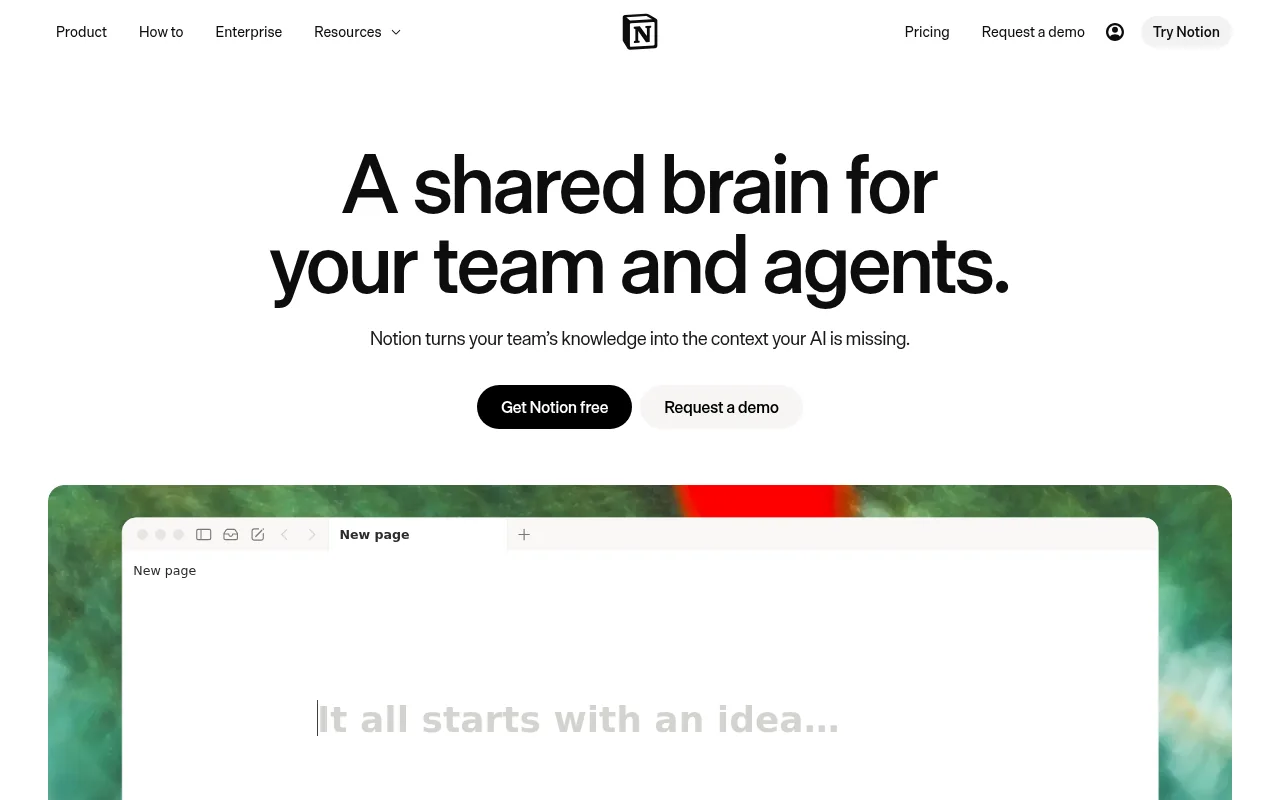
Notion's change is the one that matters most this week, because it lands today, November 2, for existing workspaces. New Business and Enterprise workspaces moved to a credit based AI system on October 19, 2026. Existing workspaces were scheduled to follow on November 2. If your team opens Notion this morning and sees a credit balance, that is why.
Under the published standard arrangement, each member gets 1,500 Standard credits and 500 Select credits per month, with variations by plan. Think of it like a phone plan with two buckets. Standard credits cover the everyday jobs: drafting a page, summarizing meeting notes, fixing a paragraph, brainstorming a list. Select credits cover the heavier jobs: long research runs, big document analysis, the work that burns far more computing power. Most teams will run out of Select credits long before they run out of Standard ones, and that is the point. The vendor wants the heavy jobs priced like heavy jobs.
For Priya's studio, the math is plain. Four members on the Business plan at 20 dollars per member per month with annual billing is 80 dollars a month before any AI extras. If two teammates do all their drafting in Notion AI and one of them leans on the heavy jobs daily, that teammate hits the Select ceiling around week three. The fix is not to buy more credits on day one. It is to move the heavy jobs to a tool that already includes them, or to a cheaper model, and keep Notion AI for the drafting it does well. Our /blog/ai-tools-small-business covers which jobs belong in which tool, so you stop paying premium prices for routine work.
One warning from the fine print of every credit system: unused credits rarely roll over in full, and overage pricing is where the bill jumps. Check three numbers in your Notion admin panel this week: credits used per member, which members hit Select limits, and whether anyone on the plan has not opened Notion in 30 days. A seat nobody opens is 20 dollars a month for nothing, credits or no credits.
What did Google change in Gemini and Slides?
Google made two moves in the last days of October that change what small teams pay for, even though neither arrived with a new price tag. On October 29, Google announced file creation, preview and editing inside Gemini. You can now make and refine a working document inside the conversation itself, with PDF preview and editing on web and mobile, and other formats on the web. On October 30, Google announced that Gemini in Slides can edit a whole deck, across several slides or the entire presentation, including content and visual style. The extended rollout began October 29 and may run past 15 days, with English first and Business Standard and Plus among the eligible plans.
Why does a feature change count as a pricing change? Because it changes which subscription you need. A team that used to pay for a separate deck design tool, or for hours of manual slide cleanup, may now do that work inside a Google plan it already owns. A team that drafted documents in a chat tool and then pasted them into Docs may now skip the middle step. The saving is not on the invoice. It is in the tool you can now cancel, and the hours you stop spending on formatting.
Priya tested this the honest way. She took last month's client deck, 18 slides, and rebuilt it two ways: once the old way, with a designer cleaning each slide by hand, and once with whole deck editing plus a human pass at the end. The AI pass took 25 minutes and the human pass took 40. The old way took most of an afternoon. She still keeps a designer on the final pass, because AI decks have a habit of confident mistakes, a wrong number in a chart, a logo stretched just enough to look off. But the billable hours on deck cleanup fell by more than half, and that is a bigger saving than any coupon.
The catch is the same as with every AI feature: it only saves money if the work moves. If your team keeps its old deck tool "just in case" and also uses the new Gemini feature, you now pay twice for the same job. When a feature lands inside a tool you already own, put the old tool on a 30 day cancellation test the same week.
How do you stop AI costs from creeping up?
Claude's new cost analytics, announced in the same late October news roundup, points at the real problem: most teams have no idea which automated jobs eat their budget. A weekly report that nobody reads, a chatbot that answers the same five questions, a research job that runs every night whether anyone opens the output or not. These jobs are cheap one by one and expensive in a pile.
Run this check once a month. List every automated AI job your team runs: scheduled reports, inbox triage, content drafts, research summaries, customer replies. For each one, write the last date someone actually used its output. Anything unused for 30 days gets paused, not debated. Pausing is free and reversible. Deleting can wait. Priya found three such jobs in her first pass: a nightly competitor summary nobody had opened since August, a social caption generator the team had replaced with a template, and a meeting note summarizer running on two tools at once. Cutting them saved 46 dollars a month and nobody noticed, which is exactly the point.
Second, put one person in charge of the stack. Not a committee, one person, with a calendar reminder on the first Monday of each month. Their job is small: check the credit balances, check the login dates, cancel one thing. Teams without an owner collect subscriptions the way drawers collect cables. Teams with an owner do not, because someone is paid, even informally, to notice.
When should routine work move to a cheaper model?
The same news roundup mentioned GPT-6.1 Terra, a lower cost model for testing routine computer tasks. The name matters less than the pattern. Every major vendor now sells a cheaper model next to its flagship, and the gap between them is shrinking for everyday work. Drafting an email, sorting a list, summarizing a page, reformatting a table: the cheaper model does these about as well as the expensive one, and the difference shows up only on hard reasoning, long documents, or tricky analysis.
Use a simple rule. If a job is routine and you check the output anyway, run it on the cheapest model that does it well. If a job is high stakes and you will not check every line, use the best model and accept the price. Priya's studio now routes this way by default: first drafts, summaries, and formatting go to the cheap tier, while client facing numbers, contracts, and final copy go to the top tier with a human review. The studio's AI spend fell by roughly a third in October, and the quality complaints did not move, because the cheap tier never touched the work clients actually see.
One more trap to avoid: the "all in one" bundle that looks cheaper per tool but costs more in total. A bundle of nine apps for a flat price is a deal only if your team uses at least five of them weekly. Count weekly active use, not the feature list. A bundle with three tools you love and six you ignore is just an expensive way to buy three tools. If your stack already has a tool that does the job, the bundle's version of that job is worth zero, no matter how good it looks in the demo.
Are Black Friday software deals worth it?
November is deal season, and the early Black Friday lists are already out. Pabbly Plus, which bundles nine apps including Pabbly Connect for automations and Pabbly AgenticAI for written instruction workflows, advertised a Black Friday price of 799 dollars a year, down from 1,428 dollars, launching November 4, 2026, with 100 seats at that price and renewal at the same rate. That is a real saving, 629 dollars a year, if your team actually needs an automation bundle for a full year.
Here is the test before you buy any annual deal. First, have you used the tool for at least 30 days? Second, does at least half your team open it weekly? Third, would you pay the full price for it next year if the deal vanished? If the answer to all three is yes, take the deal. If any answer is no, skip it, because a year of a tool you do not use is not a discount, it is a donation. Priya almost bought an annual automation bundle last November for a workflow she used twice. She bought monthly instead, used it for six weeks, and cancelled. The "savings" she skipped were 400 dollars she would have spent on nothing.
Also watch the renewal clause. Some deals renew at the full price after year one, and the vendor counts on you forgetting. Pabbly's advertised same rate renewal is the exception, not the rule. Put every annual renewal in your calendar the day you buy it, with a reminder two weeks before it charges. That one habit saves more money than any coupon code.
What is the one hour software audit?
Set a timer for one hour. Open your bank or card statement and list every software charge from the last month, with the amount. For each one, write the last login date and the number of weekly users. Cancel anything with zero logins in 30 days. Downgrade anything with one weekly user to a single seat. Move routine jobs to the cheaper model tier. Then compare the new total to the old one.
Priya's audit found: one duplicate invoicing tool (her team had moved to a new one in September and never cancelled the old one), two seats for a contractor who finished in August, and a premium AI tier on a tool the team used only for summaries. Total cut: 79 dollars a month, 948 dollars a year. The work did not change. Only the bill did. If your team also uses invoicing software, our /blog/invoicing-tools-freelancers-2026 helps you pick one tool and stick to it, and our /blog/password-managers-small-teams-2026 covers the security tool most teams forget to count in the stack.
Stack item
Priya's old cost
After the audit
What changed
Notion Business, 4 seats
$80 a month
$80 a month
Kept, but heavy AI jobs moved off Select credits
Duplicate invoicing tool
$29 a month
$0
Cancelled, team already used the replacement
Two dead contractor seats
$40 a month
$0
Seats removed the day the audit ran
Premium AI tier for summaries
$19 a month
$9 a month
Moved summaries to the cheaper model tier
Total
$168 a month
$89 a month
$79 a month saved, $948 a year
Your numbers will differ, and that is fine. The point of the table is the shape of it: most savings come from cancellations, not negotiations. Vendors rarely cut you a deal on a tool you do not use, but cancelling it cuts the cost to zero in one click. Run the audit this week, while the November pricing changes are fresh, and again in January after the Black Friday renewals land. Sources for the November changes in this guide: Google Workspace announcements summarized in a November 1, 2026 small business AI news roundup, Notion's published credit transition dates, and Pabbly's advertised Black Friday terms. Check each vendor page before buying, because AI pricing pages change fast.
the price picture moved again this week. Seven AI tools now cost under $20 a month each on monthly billing, and our /blog/ai-tools-small-business-under-20-2026 lists them with the real prices checked November 4. OpenAI also shipped GPT-6.1 Terra for routine computer work and Google added file editing in Gemini, covered in our /blog/ai-news-november-2026-small-business. If your audit found a tool you barely use, check the under $20 list before you renew it.
Frequently asked questions
FAQ
QWhat changed in AI software pricing in November 2026?
Notion moved new Business and Enterprise workspaces to a credit based AI system, with existing workspaces moving over on November 2, 2026. Google added file creation and editing inside Gemini on October 29 and whole deck editing in Slides from October 30. Cheaper models such as GPT-6.1 Terra also arrived for routine computer tasks, so the bill now depends more on how much AI work you run than on which logo you bought.
QHow many Notion AI credits do you get?
Under the published standard arrangement, members receive 1,500 Standard credits and 500 Select credits each month, though plan specific variations apply. Standard credits cover everyday AI help and Select credits cover heavier jobs. If your team burns through Select credits by mid month, that is the signal to check which jobs actually need the heavy model.
QIs the cheapest AI plan always the best deal for a small team?
No. A cheap plan that your team never opens costs more per use than a pricier plan they use daily. Count active users, not seats bought. Cancel the tools with zero logins in the last 30 days first, then compare the per month cost of the tools that remain.
QShould small teams buy software on Black Friday?
Only for tools you already use and plan to keep for a full year. A Black Friday annual deal, such as Pabbly Plus advertised at 799 dollars a year down from 1,428 dollars with a launch on November 4, 2026, saves money if the tool survives your 30 day test. Never buy a year of a tool you have not tried for a month.
QHow often should a small team audit its software stack?
Once a quarter, and again whenever a vendor changes its pricing model. The audit takes about an hour: list every subscription, mark the last login date for each, cancel the dead ones, and move routine jobs to the cheapest model that does them well. Most four person teams find 30 to 80 dollars a month to cut on the first pass.
Filed under#software#ai#software#price
Prefer plain text? Read this article as Markdown — AI assistants and readers can quote it freely with a link back here.
The comments section…
Disagree loudly or agree loudly. Both help the next reader.
Best invoicing software for small businesses 2026: FreshBooks, Zoho Invoice, QuickBooks, Xero, Wave compared. Get paid faster with the right tool in 2026.
AI bookkeeping software compared for 2026: QuickBooks, Xero, Botkeeper, Docyt and more. Real pricing, what AI automates, and where humans still matter.
November Patch Tuesday 2026 fixed 1,000+ flaws, including an exploited Outlook zero-day. The patch order for small teams, the deadline, and the checklist.