AI News in November 2026: 8 Updates That Change How Small Businesses Work
Eight AI updates landed between October 26 and November 1, 2026, from GPT-6.1 Terra to Gemini file editing. Here is what each one does for a small business, what it costs, and the 30 day test that turns one of them into a result.
The short answer: November 2026 brought eight AI updates that matter for small business: GPT-6.1 Terra for computer work, Gemini file editing and Slides and Sheets upgrades, shorter ChatGPT answers with less praise, and Claude for Nonprofits. With 58 percent of small businesses now using AI, the winners test one tool on one costly task and measure it.
Key numbers at a glance
- $309 billion is the global AI software market in 2026, up 37.3 percent from last year
- 58 percent of small businesses now use AI tools, mostly for marketing automation and customer support
- 68 percent of large enterprises have put AI into at least one business function, up from 47 percent in 2024
- 42 percent of knowledge workers use generative AI tools weekly
- About 95 percent of enterprise generative AI pilots had no measurable effect on profit
- 3,000 cells is the new limit for one Gemini request in Sheets, with sources shown per cell
- 15 days or more is how long the Gemini Slides rollout may take to reach everyone
- 70 years old is the age of AI as a field in 2026, founded as an academic discipline in 1956
- 8 updates between October 26 and November 1, 2026 landed in three groups: model updates, Gemini file, Slides, and Sheets upgrades, and Claude for Nonprofits
- October 28, 29, and 30, 2026 are the three Gemini announcement dates: Sheets on October 28, file editing on October 29, and whole-deck Slides editing on October 30
Priya runs a four person marketing agency in Pune. On Monday morning, October 26, she opened her laptop to three announcements before her first coffee: a new OpenAI model, a new Anthropic plugin for nonprofits, and a Google update she would only hear about three days later. By Friday, her team was arguing about which of the eight new things to try first, and nobody had done any client work with any of them.
That is the normal shape of AI news in November 2026. The tools arrive faster than any small team can test them, and the gap between reading about AI and earning money from it keeps growing. This guide closes that gap for one month. It covers the eight updates from the last week of October and the first week of November that change how a small business works, what each one costs you in time and money, and the 30 day test that turns one of them into a result you can measure. For the marketing side of the same shift, read our November 2026 AI search marketing playbook next, because the search page changed in the same week these tools did.

What happened in AI this month?
Eight updates landed between October 26 and November 1, and they fall into three groups. First, the model updates: OpenAI shipped GPT-6.1 Terra, a lower cost model for routine computer work, and ChatGPT itself changed how it talks, with shorter answers and less praise. Second, the Google work updates: Gemini can now create and edit files inside a conversation, edit a whole Slides deck at once, and show the sources behind AI filled cells in Sheets. Third, the small team updates: Anthropic shipped a nonprofit plugin and cost analytics for Claude, aimed squarely at small charity and business teams that need structure, not more features.
The pattern across all eight is easy to miss if you read them one by one. None of them is a new chatbot to chat with. All of them push AI deeper into the work you already do: the document, the deck, the spreadsheet, the meeting, the booking. The AI stops being a website you visit and starts being a feature inside the app you already open each morning. That is why this month matters more than a month with a flashier launch. A model you have to visit is a habit you have to build. A feature inside your spreadsheet is a habit you already have.
There is also a warning inside the numbers this month. A 2025 MIT NANDA report found that about 95 percent of enterprise generative AI pilots had no measurable effect on profit. Small teams can win in that gap, because a small team can pick one costly task, test one tool on it for 30 days, and kill it fast if it does not pay. The updates below are ranked by that test: what job they do, who they help, and what they cost.
What is GPT-6.1 Terra?
GPT-6.1 Terra is the new OpenAI model for routine computer work, announced October 26, 2026. It is built for writing, visual reasoning, and computer use, which means it can look at a screen, read what is on it, and carry out ordinary tasks like filling a form, moving data between apps, or checking a page. It is a lower cost model, so the point is not that it is the smartest model OpenAI makes. The point is that it is cheap enough to run on everyday jobs without thinking about the bill each time.
Here is the catch that matters for a small shop: GPT-6.1 Terra is available through the API and through eligible paid access in ChatGPT Work and Codex. It is not available in ordinary Chat. API billing is separate from a ChatGPT subscription, so you pay for what the model does through the API, not as part of your monthly chat plan. If you are a solo founder who uses ChatGPT in a browser, Terra changes nothing for you today. If you run a small team that already uses the API or Codex to automate a task, Terra gives you a cheaper model to test that task on.
Try it this way. Pick one routine computer task your team repeats every week, like copying order details from email into a sheet, or checking a supplier page for a price change. Give it to Terra through the API or Codex, watch it for a week, and count the errors. A model that does a boring job right nine times out of ten still needs a human check on the tenth. Our AI agents guide for small business covers how to hand a task to an agent without handing it your passwords or your customer list. And read our report on banks blocking AI agents before you let any agent touch a payment page, because some banks now stop agent logins outright.
What did Google change in Gemini, Slides, and Sheets?
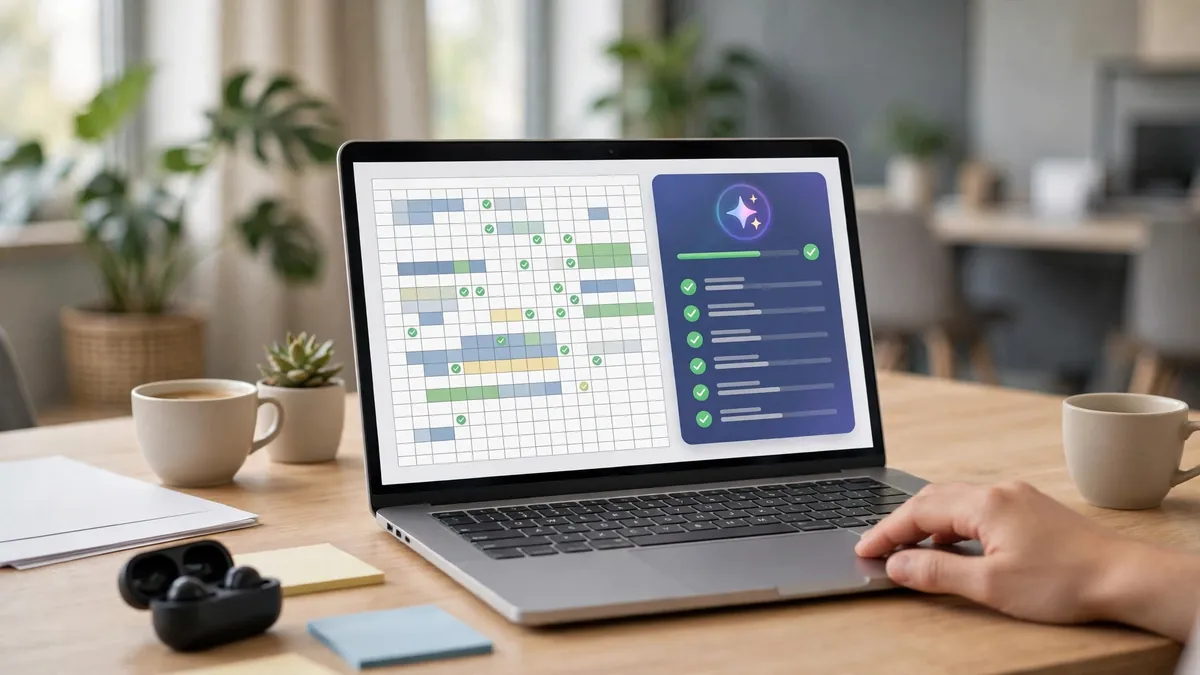
Google shipped three work updates in three days, and together they are the most useful news of the month for a small business that lives in Google Workspace. Each one removes a small friction that used to send you out of the app to do a job by hand.
First, Gemini file editing, announced October 29. Gemini can now create and edit a working file inside the conversation itself. PDF preview and editing work on the web and on mobile, while other supported formats work on the web. In plain terms, you can ask Gemini to draft a quote, a letter, or a price list, and then fix it in the same chat instead of downloading a file, opening it, editing it, and uploading it again. The feature is available across supported languages to users with Gemini access. For a shop owner, the win is in the quote and the proposal: the document that used to take an evening now takes one conversation.

Second, Gemini in Slides, announced October 30. Gemini can now edit a whole presentation without you touching each slide one by one. The announcement covers edits across several slides or an entire deck, including content and visual style. The extended rollout began October 29 and may take more than 15 days, with English launching first, so your account may not have it yet. If you pitch clients, teach, or present to a team, this is the update to watch, because deck work is the most boring hour in most small teams. Try it on your next pitch: ask Gemini to tighten five slides into three, then read every slide yourself before you send it, because an AI edit can drop the one detail that made the pitch yours.

Third, Gemini in Sheets, announced October 28. Sheets now shows web source citations inside individual AI filled cells, and one request can cover up to 3,000 cells. The rollout began October 20, before the announcement, and the citations are available on Business Standard and Plus and other eligible plans. This is the quiet fix that matters most for trust. An AI filled cell used to be a number with no proof. Now you can click the cell and see the source it came from. If you track prices, leads, or stock in a sheet, that citation is the difference between a number you can show a client and a number you have to check by hand anyway. The weekly roundup of these updates is worth bookmarking: this AI news roundup for small business, November 1, 2026 lists all eight developments from October 25 to November 1 with the job attached to each one.
Why is ChatGPT suddenly shorter with praise?
Because OpenAI changed it on purpose, and the change tells you something about how people actually use the tool. On October 29, OpenAI updated GPT-6 in Chat to give shorter answers with less excessive flattery. The change applies to Free, Go, and signed out use. On Plus and Pro, it applies to the fallback model after GPT-6 message limits, rather than the main GPT-6 model.
For a small business, shorter is better. A long answer that starts with praise and ends with five extra ideas costs you reading time on every question. A short answer that gives you the number, the step, and the risk is the one you can act on. If your team writes with ChatGPT every day, ask for short answers directly in your prompt, like "give me the answer in five lines, then the one risk." The model change helps, but the prompt is still yours to write. Our guide to getting cited by ChatGPT covers the other side of the same change: as answers get shorter, the sources they name matter more, and your pages need to be the source the answer names.

What is Claude for Nonprofits?
Claude for Nonprofits is a plugin Anthropic released October 26, 2026, with skills and connectors built for small charity teams. It gives a small nonprofit recurring admin work some structure: donor letters, grant tracking, volunteer schedules, and the weekly reporting that eats a small team's time. The same update brought Claude cost analytics, which shows which automated jobs consume your budget, so you can see what each workflow costs before the bill surprises you.
You do not need to be a nonprofit to learn from it. The idea is the same one this guide keeps coming back to: give each AI job a description, an owner, and a budget, and treat the agent like a hire. A charity with two staff and a shop with three staff have the same problem, which is that nobody has time to watch the AI. Cost analytics answers that problem with a number. If you run a small team on Claude, open the analytics page this week and find your most expensive automated job. If it does not save you at least an hour a week, switch it off. For the money side of the Claude story, our Anthropic unit economics analysis looks at what each Claude user is worth and why the company is chasing small teams like yours.

What do the November 2026 numbers say?
The numbers this month tell two stories at once, and both are true. AI use is now normal for small business, and most AI projects still fail to make money. The trick is to read both stories before you spend anything.
| Signal | Number |
|---|---|
| Global AI software market, 2026 | $309 billion, up 37.3 percent year on year |
| Small businesses using AI tools | 58 percent, up from 22 percent in 2024 |
| Large enterprises with AI in at least one function | 68 percent, up from 47 percent in 2024 |
| Knowledge workers using generative AI weekly | 42 percent |
| Enterprise generative AI pilots with no measurable profit effect | About 95 percent |
| Enterprises planning multimodal AI by end of 2026 | 64 percent |
| Small enterprises using AI in Hungary, 2026 study | Nearly two thirds, up 21 points from 2025 |
The first story is adoption. The global AI software market reached $309 billion in 2026, up 37.3 percent in a year, and 58 percent of small businesses now use AI tools, mostly for marketing automation and customer support. That is up from 22 percent in 2024, which means the small shop down the road probably already uses one of these tools. A study of Hungarian firms published November 3 found the same pattern from the other side: AI use was most common among small enterprises, where nearly two thirds use AI based software, and use rose 21 points in a year. The full statistics page behind these numbers is this AI statistics 2026 roundup, verified November 5, 2026.
The second story is results. The 2025 MIT NANDA report found that about 95 percent of enterprise generative AI pilots had no measurable effect on profit. The pilots failed for boring reasons: no clear outcome, no owner, no measurement, and no link to a sale. A small team has one advantage here. It can pick one costly weekly task, write a hypothesis with a number, test it with the cheapest tool for 30 days, and then kill it, keep it, or scale it. That is the whole plan, and the next section lays it out week by week.
What should a small business do with all this?
Start with one costly weekly task, not with one shiny tool. Look at your last week and find the task that ate the most hours without making a sale: writing quotes, answering the same five customer questions, updating the price sheet, or chasing late invoices. Write the task down, write the hours down, and write the number you want to change. A hypothesis with a number sounds like this: "Gemini file editing will cut quote writing from 40 minutes to 15 minutes per quote." If you cannot write that sentence, you are not ready to buy or test anything.
Week one: pick the tool that matches the task. Quotes and documents point to Gemini file editing. Decks point to Gemini in Slides. Price tracking points to Gemini in Sheets with citations. Repetitive computer work points to GPT-6.1 Terra through the API or Codex. Customer replies point to the shorter ChatGPT answers, with your own prompt asking for five lines and one risk.
Week two: run the task with the tool and keep the old way as a control. Do five quotes the new way and five the old way. Time both. Check every AI output before it goes to a customer, because a hallucination in a contract or a pitch deck costs more than the time the tool saved. AI hallucinations sound polished, and they land in contracts when nobody reads them.
Week three: check the customer result, not the tool result. Did quotes go out faster? Did customers reply faster? Did the deck win the meeting? A tool that feels clever but changes nothing for the customer is a hobby, not a business tool. This is also the week to check Claude cost analytics if you use Claude, and to check your Gemini usage if you are on a paid plan, because a tool that costs more than the hour it saves is a loss dressed as progress.
Week four: decide. Kill the tool, keep it, or scale it to the rest of the team. Write the decision down with the numbers, so you do not retest the same tool in January. If the test worked, the next task on your list gets the same 30 day treatment. That is how a small team builds an AI stack that pays: one task at a time, one number at a time.

What is the November 2026 checklist?
Run this list before December. One, pick one costly weekly task and write the hypothesis with a number. Two, check whether your Google Workspace plan already includes Gemini file editing, Slides edits, and Sheets citations, before you pay for another tool. Three, if you use the API or Codex, test GPT-6.1 Terra on one routine computer task and count the errors for a week. Four, rewrite your most used ChatGPT prompt to ask for short answers with one risk. Five, if you run a nonprofit or a small charity, look at Claude for Nonprofits and its cost analytics before your next budget meeting. Six, write down the four numbers that tell you whether AI is paying: hours saved per week, cost per month, customer replies, and sales from AI assisted work, then check them again in 30 days.
The bottom line
November 2026 is a work month for AI, not a launch month. Gemini now edits files, decks, and sheets where you already work, GPT-6.1 Terra handles routine computer jobs at a lower cost, ChatGPT gives shorter answers, and Claude brings structure and cost tracking to small teams. None of that makes money on its own. What makes money is one task, one hypothesis with a number, and a 30 day test that ends in a decision.
Start with the task that eats your week, not with the tool that fills your feed. Test it, measure it, and keep only what pays. The shops that win this month are not the ones that read the most AI news. They are the ones that ran one honest test and wrote the number down.
The news came in a six-day cluster, October 26 to November 1, so do not rebuild your stack on one announcement: wait for the rollout to reach your account, test the one update that touches your busiest task, and let the 15-day Gemini rollout finish before judging whether the feature exists for you.
Frequently asked questions
Is GPT-6.1 Terra in normal ChatGPT?
No. GPT-6.1 Terra is available through the API and through eligible paid access in ChatGPT Work and Codex, and it is not available in ordinary Chat. API billing is separate from a ChatGPT subscription, so test it through the API or Codex if your team already works there, and do not expect it in the chat window you use each day.
Do I need to pay for Gemini file editing?
File editing is available to users with Gemini access, and PDF preview and editing work on the web and on mobile. Sheets citations need Business Standard and Plus or other eligible plans. Check your Workspace plan first, because many small teams already pay for a plan that includes these features and never turn them on.
Will shorter ChatGPT answers hurt my business?
No, they help it. Shorter answers with less praise mean you read less and act faster. The change applies to Free, Go, and signed out use, and to the fallback model on Plus and Pro. Ask for short answers directly in your prompt, and your replies to customers get shorter and clearer too.
Should a small nonprofit use Claude for Nonprofits?
Yes, if your team spends hours on recurring admin like donor letters, grant tracking, and volunteer schedules. The plugin adds skills and connectors for that work, and the cost analytics show which automated jobs consume your budget. Start with one workflow, give it an owner, and check the cost after two weeks.
Is AI still worth it if 95 percent of pilots fail?
Yes, if you run a test instead of a pilot. The MIT NANDA finding covers enterprise pilots with no clear outcome and no owner. A small team that picks one costly task, writes a hypothesis with a number, tests the cheapest tool for 30 days, and kills it fast if it does not pay is playing a different game, and it is the game small teams can win.
Want more practical guides like this?
Browse all 106 guides across 10 categories, no fluff, no paywall.
Browse all guides → Explore AI guides