November 2026 Patch Tuesday: What Small Teams Must Fix First
Microsoft shipped about 1,095 fixes on November 10, 2026, including an Outlook zero-day already in use by attackers. Patch Outlook first, then your domain controllers, and finish before November 24.
Microsoft released the November 2026 Patch Tuesday updates on November 10, 2026, with about 1,095 fixes, the second month in a row over 1,000. One is an Outlook spoofing flaw, CVE-2026-124194, exploited by attackers, which can leak a Windows login hash from a single opened message file. Patch Outlook first, then domain controllers, then the rest, before November 24, 2026.
Key numbers at a glance
- Microsoft-issued CVEs, November 2026:about 1,095
- BleepingComputer count, including Edge:1,235, with 142 Edge Chromium flaws
- Rated Critical:66
- October 2026 total:about 1,411, the record
- Outlook zero-day CVE-2026-124194:CVSS 6.5, Moderate, exploited in the wild
- CISA KEV due date:November 24, 2026
- Windows Search RCE CVE-2026-116928:CVSS 9.8
- LDAP RCE CVE-2026-119958:CVSS 9.8, hits domain controllers
- Windows fixes:726
- Office fixes:174
- SQL Server fixes:59
- SharePoint fixes:27
- Next Patch Tuesday:December 8, 2026
- Exploitation more likely: another 42 flaws are marked that way, meaning attackers will probably build working exploits soon
- Fixed builds: 16.0.17932.21140 for LTSC 2024 and 16.0.14334.21048 for LTSC 2021
Last reviewed: November 2026.

Patch Tuesday does not often make the news two months in a row. November 2026 did. Microsoft shipped about 1,095 fixes on November 10, and that came one month after a record of about 1,411 in October. Two months, more than 2,500 flaws, and one of them is already being used by attackers. That is the shape of this month: big, noisy, and with one item that cannot wait.
If you run a team of 5 to 50 people, you probably do not have an IT department. You have one person who also does something else, or you are that person. A list of 1,095 fixes looks impossible from that chair. It is not, because most of those fixes do not apply to you. The work that matters fits on one page, and the order matters more than the count.
This guide gives you that order. It starts with what shipped, then the Outlook zero-day in plain terms, then the patch sequence, the exact clicks to get the Outlook fix, and the checks to run when you are done. The numbers here come from Microsoft and CISA, and every one of them is named, so you can check it yourself.
What happened on November 10
| Fact | Detail |
|---|---|
| Release date | November 10, 2026 |
| Fixes in this release | About 1,095, the second month in a row over 1,000 |
| Worst flaw | Outlook spoofing, CVE-2026-124194, already exploited by attackers |
| What it leaks | A Windows login hash from a single opened message file |
| Patch order | Outlook first through Office Update, then domain controllers, then the rest |
| Deadline | Finish before November 24, 2026, the CISA KEV due date |
Microsoft released the November 2026 Patch Tuesday updates on Tuesday, November 10, 2026. The release covers Windows, Office, SQL Server, SharePoint, Exchange, and the .NET stack, among others. The headline number depends on how you count. Microsoft issued about 1,095 CVEs. BleepingComputer counts 1,235, because its total adds 142 Edge Chromium flaws that Microsoft counts separately. Both numbers describe the same release, so do not let the gap confuse you.
Either way, this is the second straight month over 1,000. October 2026 set the record at about 1,411. Two months above 1,000 in a row is new, and it says something about how much old code is being swept. Microsoft has been clearing a backlog of flaws found by researchers and by its own review, and the monthly totals show it. The work for small teams has not doubled, though, because most of these fixes touch products you do not run.
Of the November flaws, 66 are rated Critical. Another 42 are marked as exploitation more likely, which is Microsoft's way of saying attackers will probably build working exploits soon. That second group is the one to watch after the zero-day. A flaw marked exploitation more likely is not being used yet, but the clock on it is short, and waiting a month to patch it is a real risk.
The split by product tells you where the weight sits. Windows accounts for 726 fixes. Office accounts for 174. SQL Server has 59, and SharePoint has 27. If your team runs Windows laptops, Microsoft 365, and a small server or two, nearly all of your exposure sits in the first two buckets. If you do not run SQL Server or SharePoint on site, those 86 fixes are not your problem, and you can skip them without guilt.
Windows 11 machines get KB5132061 for versions 24H2, 25H2, and 26H2, and KB5131087 for version 23H2. That second one carries a note worth reading: it is the last update for 23H2 Enterprise and Education. If any machine in your office still runs 23H2, this is the month to move it to a newer version, because no more fixes are coming for it after this one.
Microsoft's update guide lists every fix in the release, with the severity rating and the affected product for each one. You do not need to read all of it. The sections that follow pull out the items that change what a small team should do this week, and leave the rest in the list where they belong.
The Outlook zero-day: CVE-2026-124194
One flaw in this release is already being used by attackers. It is CVE-2026-124194, a spoofing flaw in Outlook, rated Moderate with a CVSS score of 6.5. The rating looks mild next to the 9.8 scores elsewhere in this release, and that is exactly why it needs a plain explanation. The score measures how bad the flaw is on its own. The exploited status measures whether attackers are using it right now. This one is, and that puts it first.
Here is how it works. An attacker sends a crafted message file, a .msg file, to someone on your team. When the person opens that file, Outlook connects to a server the attacker controls. It does this without showing the usual external-content warning, the prompt that normally tells you Outlook is about to load something from outside. In that connection, Outlook hands over the user's NTLMv2 hash, the scrambled form of their Windows login credential.
One detail matters a lot, so read it twice: the Preview Pane is not an attack vector. Scrolling past the message in the inbox does nothing. The flaw needs the person to open the file. That is good news and bad news at once. It means your team is safe from a drive-by glance, and it means one click on the wrong attachment is enough.
The flaw affects Microsoft 365 Apps for Enterprise, Office LTSC 2021, and Office LTSC 2024. The fixed builds are 16.0.17932.21140 for LTSC 2024 and 16.0.14334.21048 for LTSC 2021. If your Office build is older than those numbers, you are not patched, even if Windows Update says you are up to date. That gap is the most common mistake small teams make with this flaw, and the next sections show how to close it.
The flaw was found by Benoit Sevens, a researcher at Anthropic, who used Claude in the research, along with a researcher known as Nono. That detail is worth noting for one reason only: it was found by people doing careful research, not by accident, and the fact that it is already being used in the wild means attackers had the same idea fast. CISA added CVE-2026-124194 to its Known Exploited Vulnerabilities catalog on November 10, 2026, the same day the fix shipped, with a federal remediation due date of November 24, 2026. Federal agencies must fix it by that date. Your team should treat November 24 as its own deadline, because attackers do not check whether you work for the government.
The CISA catalog entry is the clearest signal in this whole release. CISA does not list every flaw, only the ones with confirmed use by attackers. When a flaw lands there on the day the fix ships, the message is simple: patch it now, and do not wait for the next maintenance window. You can check the entry yourself in the CISA Known Exploited Vulnerabilities catalog.
What an NTLM hash leak means for your team
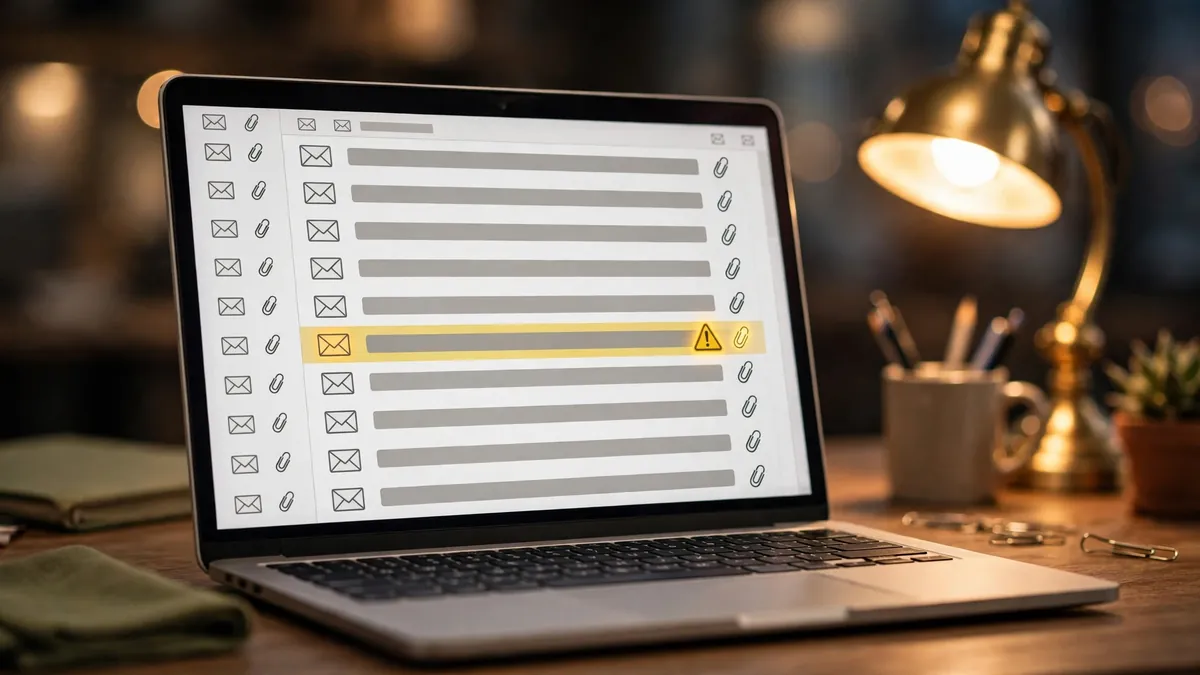
An NTLMv2 hash is not a password, but it is close enough to cause real damage. It is the scrambled form of a Windows login credential, and an attacker who holds it has two paths. The first is to crack it, which means running it through tools that guess passwords until one matches. Weak passwords fall fast. The second is to replay it, which means using the hash itself to sign in to other systems without ever knowing the password. This is the pass-the-hash attack, and it is one of the oldest tricks in Windows security, which is why it still works: it feeds on habits, not on new code.

For a small team, the risk is not one leaked hash. It is what the hash opens next. If the person who opened the file is an admin, or if their account can reach the file server, the attacker can move sideways through the network. One opened message file can turn into access to shared drives, email, and the tools your team uses every day. That is why this flaw sits at the top of the patch list even though its score is only 6.5.
The fix is the patch itself, and nothing replaces it. But three habits cut the damage if a hash has already leaked, and they are worth doing this week even after you patch. First, turn on multi-factor authentication everywhere you can, starting with email and any admin account. A stolen hash does not help an attacker who still has to pass a second check. If you still let staff sign in with a password alone, our single sign-on setup guide shows how one login can cover every app, so MFA is one switch instead of ten.
Second, force password resets for anyone who may have opened a suspicious message file. Do not wait for proof that their hash leaked. A reset costs five minutes and kills the value of the stolen hash. Pair it with a password manager for the whole team, so the new passwords are long and unique instead of a small change to the old one.
Third, block outbound SMB, port 445, at the firewall. NTLM hashes often leak over SMB, and blocking that port at the edge stops the most common path out of the network. Most small offices do not need outbound SMB at all, and the ones that do can allow it only to a named server. If you are not sure whether you need it, ask the person who set up your firewall, or test the block on a Friday afternoon and watch for complaints before Monday.
None of this is a substitute for the patch. Patch first, then do these three things. A patched Outlook does not leak the hash, and the habits above cover the case where the leak already happened before you patched.
The patch order that works for small teams
With about 1,095 fixes on the table, the order you patch in is the whole job. Patch the things attackers are using or will use soon, then the things that guard the rest of the network, then everything else. Here is the order that fits a team of 5 to 50 people, with the reason for each step.
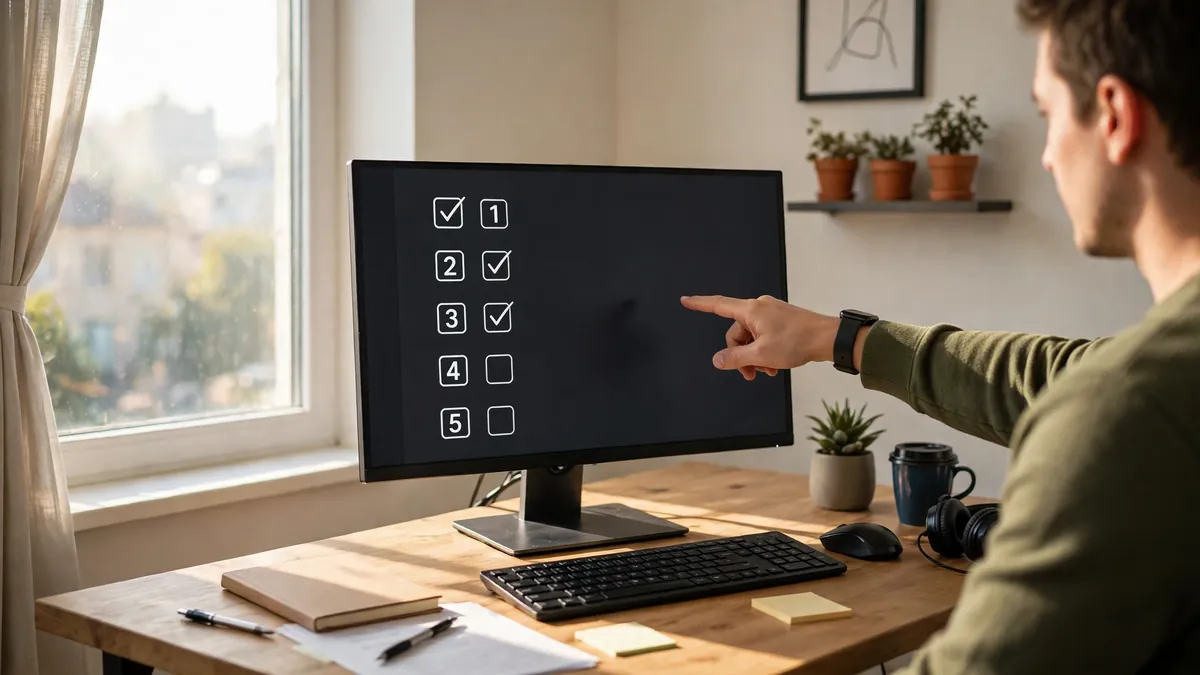
- Patch the Outlook zero-day first, through Office Update, on every machine that runs Outlook. This is the only flaw in the release with confirmed use by attackers, and it takes one opened file. Do this before anything else, even before the Windows updates. The clicks are in the next section.
- Patch your domain controllers next, for the LDAP remote code flaw, CVE-2026-119958, CVSS 9.8. This one hits domain controllers directly, and a domain controller is the key to the whole network: it holds the accounts, the passwords, and the rules. A flaw that lets an attacker run code on it is the worst kind of bad news. If you have one domain controller, patch it on the first evening. If you have two, patch one, check it, then patch the second.
- Patch the Windows Search and Schannel flaws, CVE-2026-116928 at CVSS 9.8 and CVE-2026-119952 at CVSS 8.1. Windows Search runs on every desktop, and Schannel handles the secure connections Windows makes. Both are rated high because an attacker can reach them without a login. These come with the regular Windows update, KB5132061 for 24H2, 25H2, and 26H2, or KB5131087 for 23H2, so they land when you run Windows Update on each machine.
- Patch Exchange Server for CVE-2026-118207, CVSS 8.8, if you run Exchange on site. If your mail lives in Microsoft 365, Microsoft patches it for you, and this step is already done. If you run your own Exchange server, do not skip this one, and do it in the same week as the rest. Exchange flaws have a long record of being used fast, because mail servers face the internet by design.
- Patch the rest. That means the remaining Windows updates, the 20 Outlook remote code flaws fixed in this release, and the other Office, SQL Server, and SharePoint fixes that apply to you. The 20 Outlook remote code flaws are a good reason not to stop after step one: the zero-day is the urgent one, but the other 20 are real flaws in the same program, and they will not wait politely.
Two notes on the order. First, the 42 flaws marked exploitation more likely sit inside steps three to five, and that is why the whole list should be done within the week, not spread over the month. Second, if you run out of time, do steps one and two and stop. Those two cover the flaw attackers are using now and the flaw that would hand them the network. Steps three to five can follow in the next few days, but one and two should not slip past November 24.

How to get the Outlook fix
This is the step most small teams get wrong, so here it is in full. The Outlook fix ships through Office Update, not Windows Update alone. Running Windows Update and seeing a green check mark does not mean Outlook is patched. You have to update Office separately, and it takes about two minutes per machine.
In any Office app, open File, then Account, then Update Options, then Update Now. Office will check, download, and install the update, and it will ask you to close Office apps while it works. Do this on every machine that runs Outlook, including laptops that spend most of their time at home. A laptop that only gets patched when it visits the office is a laptop that stays exposed.
After the update, check the build number. In Outlook, go to File, then Office Account, and look at the version line. For LTSC 2024, you want 16.0.17932.21140 or later. For LTSC 2021, you want 16.0.14334.21048 or later. For Microsoft 365 Apps for Enterprise, the build number will differ by channel, so check that the version is dated November 10, 2026 or later. If the number is older, run Update Now again, because the first run sometimes leaves a piece behind.
If your team uses the Microsoft 365 admin center, you can also push Office updates from there, which saves walking to every desk. Set the update channel to Current, or to Monthly Enterprise if you prefer a slower pace, and confirm the November release is in the queue. For a team under 50 people, the manual route is often faster than learning the admin center this week, but either route works as long as you check the build number at the end.

Back up first, test on one machine
Every patch guide says to back up first, and every team that skips it has a story about why they will not skip it again. A Patch Tuesday update touches the operating system, the mail client, and the server, all at once. Most of the time it goes fine. When it does not, the difference between a bad afternoon and a lost week is a backup made that morning.
Back up before you patch, not after. That means the file server, the domain controller, and any machine that holds work nobody else has. A cloud backup that ran last night counts. A backup from last month does not. Check that the backup ran and that it can be restored, because a backup you have never tested is a hope, not a plan. If the backup software shows a green tick, open one file from it and confirm it reads clean.
Test on one machine first. Pick a machine that is not the boss's laptop and not the server, install the updates, and use it for a few hours. Open Outlook, open the shared drive, print something, join a video call. If everything works, roll the same updates out to the rest of the team. If something breaks, you have one machine to fix and a clear picture of what went wrong, instead of twenty machines with the same problem at once.
Patch in waves if you can. The Outlook fix goes to everyone on day one, because it is the urgent one. The Windows updates can go to half the team on day one and the rest on day two. Domain controllers go last in the day, or first thing in the morning, when you have time to watch them come back up. Never patch the server and every desktop at the same time, because if the server does not come back, nobody can tell you about it.
Keep a short note of what you did: which KB numbers went on which machines, which Office build each machine shows, and the time you finished. If a problem shows up next week, that note is the first thing you will reach for, and it takes three minutes to write. Keep the old build numbers too, so you can roll back if you need to, though a rollback should be the last resort, not the first move.

After patching: checks that take 30 minutes
Patching is not done when the progress bar finishes. It is done when you have checked that the fix is actually on the machine. Set aside 30 minutes for these checks, and do them the same day you patch.
First, confirm the Office build on every machine that runs Outlook. The numbers are in the section above: 16.0.17932.21140 or later for LTSC 2024, 16.0.14334.21048 or later for LTSC 2021, and a November 10, 2026 or later build for Microsoft 365 Apps. Any machine that still shows an older build needs another run of Update Now. Write down the machines that needed a second run, because they are the ones most likely to miss the next update too.
Second, confirm the Windows KB installed. On each machine, open Settings, then Windows Update, then Update history, and look for KB5132061 or KB5131087. If a machine shows no update, run Windows Update again. A machine that refuses the update is worth a look on its own, because a stuck update often means a full disk or a service that stopped, and both are easy to fix once you see them.
Third, check the domain controller logs. Look for failed logins that spike after the patch, and for any sign that an account was used from an odd place or at an odd hour. If anyone on the team opened a suspicious message file in the last few weeks, reset that person's password now and turn on MFA for their account if it is not already on. The logs will not tell you everything, but a quick look catches the loud cases, and the loud cases are the ones that hurt.
Fourth, confirm outbound SMB port 445 is blocked at the firewall, and confirm MFA is on for email and admin accounts. These two checks take five minutes, and they are the cheapest protection you can buy. Our small business cybersecurity tools guide covers the free and low-cost tools that make these checks part of a routine, so you are not starting from scratch every Patch Tuesday.
Fifth, tell the team what happened, in one short message. Say that an Outlook flaw was fixed, that they should not open message files from senders they do not know, and that IT will never ask them to open an attachment to test anything. Most attacks need a person to click, and a team that knows what to look for is worth more than any filter. Keep the message short, or nobody will read it.
Finally, put December 8, 2026 on the calendar. That is the next Patch Tuesday, and the same routine applies: back up, patch Outlook first, then the servers, then the rest. If this month felt rushed, use the weeks before December 8 to fix the things that slowed you down, such as a laptop that never checks in or a server that only one person knows how to restart.

The bottom line
November 2026 Patch Tuesday is big, about 1,095 fixes, but the work that matters is small: patch Outlook first through Office Update, then the domain controllers, then the rest, and finish before November 24. The Outlook zero-day, CVE-2026-124194, is already exploited in the wild and leaks a Windows login hash from a single opened message file, while two 9.8 flaws hit Windows Search and LDAP. With 66 flaws rated Critical and another 42 marked exploitation more likely, treat November 24 as your own deadline, because attackers do not check whether you work for the government.
Frequently asked questions
What is the November 2026 Patch Tuesday deadline?
CISA added CVE-2026-124194 to the Known Exploited Vulnerabilities catalog on November 10, 2026, with a federal remediation due date of November 24, 2026. Small teams should treat November 24 as their own deadline. Patch the Outlook flaw first, through Office Update, then work through the rest of the list.
Does the Outlook flaw trigger from the Preview Pane?
No. The Preview Pane is not an attack vector. The user must open the crafted message file for the flaw to work. That is why the fix matters and why staff should not open message files from senders they do not trust.
Why is this Patch Tuesday so large?
Microsoft issued about 1,095 CVEs, the second straight month over 1,000 after a record of about 1,411 in October 2026. BleepingComputer counts 1,235, including 142 Edge Chromium flaws, and 66 of the flaws are rated Critical.
When is the next Patch Tuesday?
December 8, 2026. Put it on the calendar now, and use the weeks before it to finish this round, check your backups, and confirm every machine shows the fixed Office build.
Want more practical guides like this?
Browse all 122 guides across 10 categories, no fluff, no paywall.
Browse all guides →Explore Software guides